Landlord Rental Income & Expense Tracker
- ⬇ Files delivered instantly after purchase
- ∞ Lifetime access — download anytime
- ✎ You type in tinted cells; every formula is built & protected
- ♲ Support: message us any time, we answer personally
About this system
THE LANDLORD OS — Rental Property Command Center
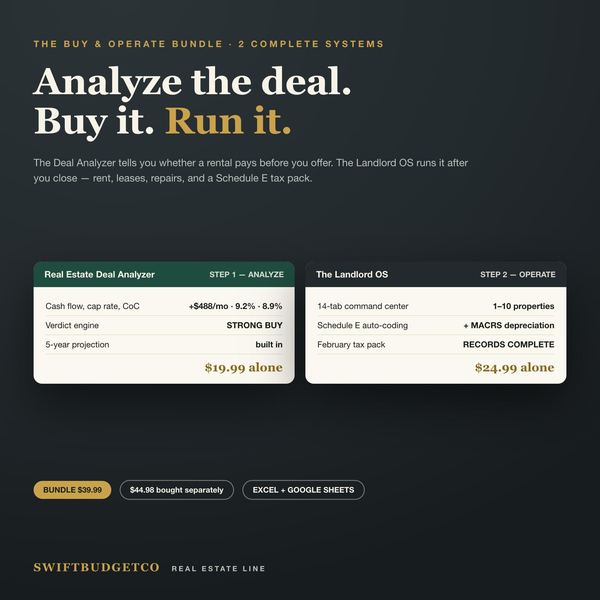
You analyzed the deal. Now run it.
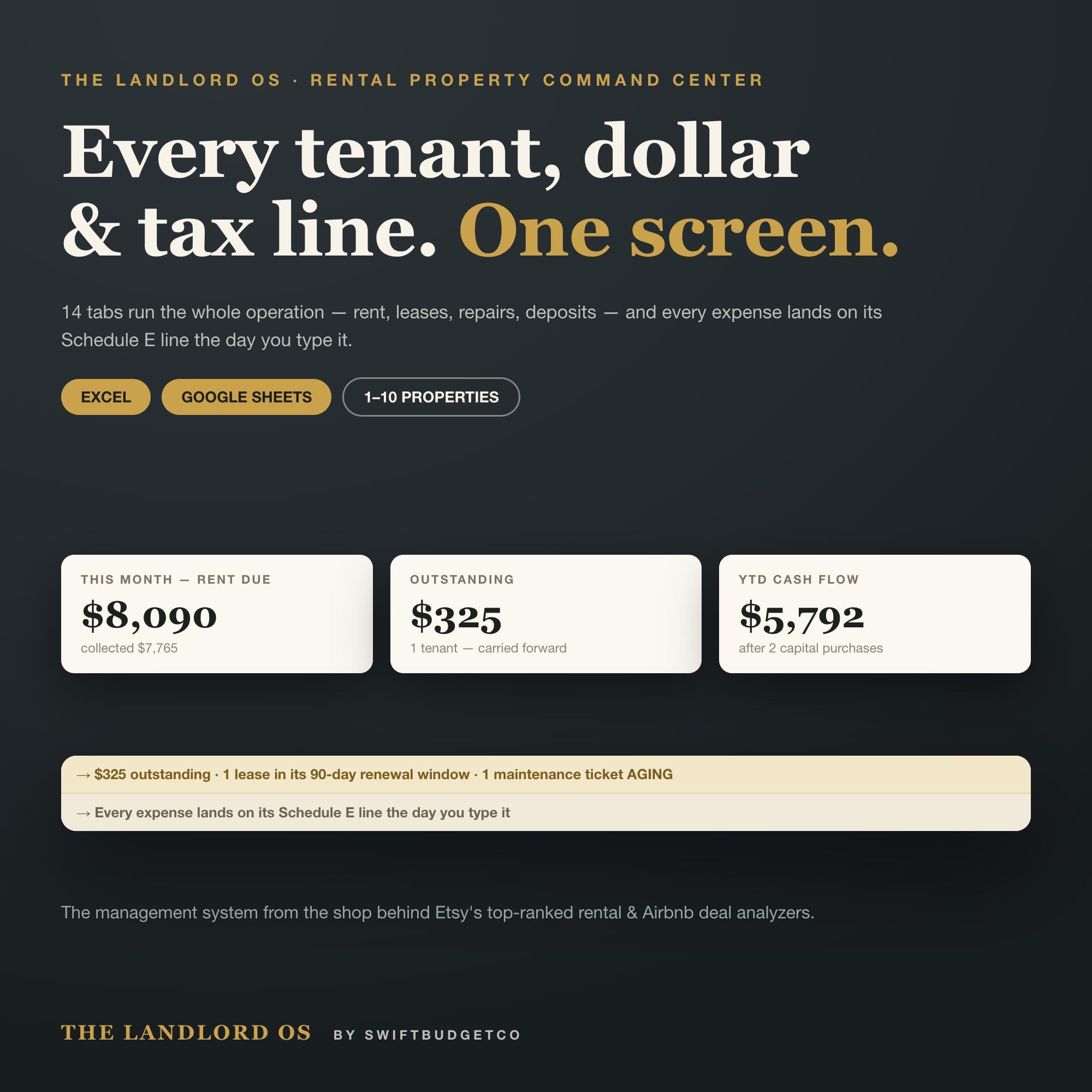
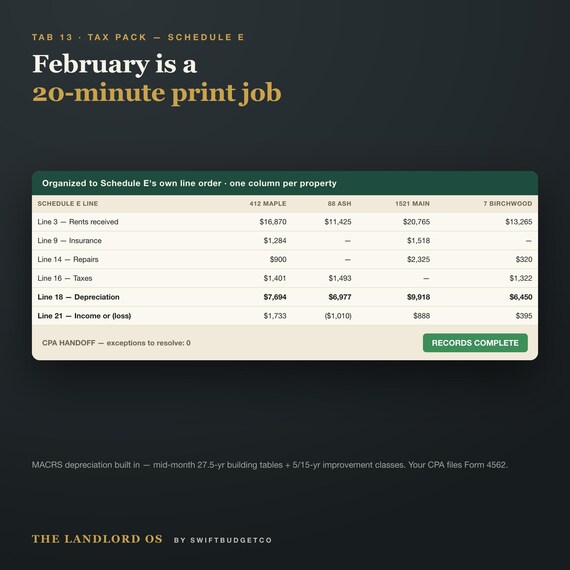
This is a complete management system for 1–10 rental properties (up to 20 units): every tenant, dollar, lease, and repair on one screen, with every expense coded to its Schedule E line the day you type it. February stops being a shoebox panic and becomes a 20-minute print job.
Most buyers run one or two properties. If that's you, you'll touch three tabs a week and skip the rest — nothing breaks, and unused rows stay clean and blank.
Your Week With This File
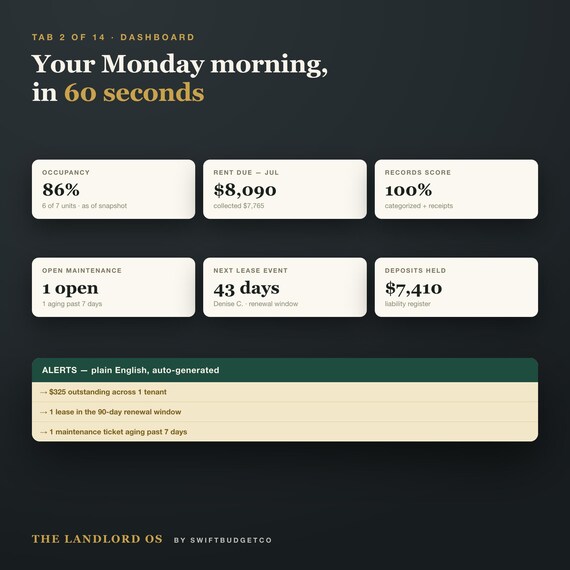
— Monday, 60 seconds: type today's date into one gold cell and the whole portfolio re-triages itself. Who owes what. Which lease just entered its 90-day renewal window. Which repair ticket has gone stale.
— New expense, 10 seconds: pick "Repairs - plumbing" from the dropdown. The row lands on your tax report, already on the right Schedule E line. Spend over $2,500 on a repair-type category and it flags "review with your CPA — possible capital item" automatically.
— February: print the Tax Pack. One column per property, rows in Schedule E's own line order, depreciation pre-computed on actual MACRS tables, plus a printed exceptions list and question sheet for your CPA.
What Basic Rent Trackers Leave Out
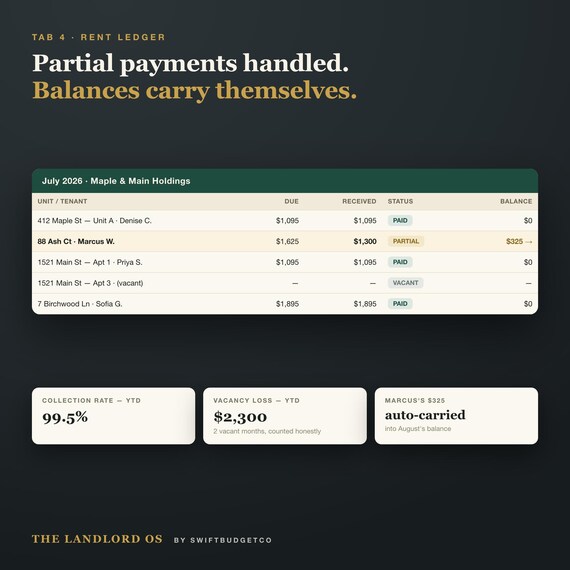
— Partial payments that carry forward. A tenant pays $1,300 of $1,625 and the $325 balance follows them month to month, correctly, everywhere. Checkbox trackers lose the story the moment someone pays short.
— Depreciation — usually the single largest landlord deduction — computed on IRS MACRS tables for the building and for capital improvements, with first-year conventions handled. Most cheap trackers have none at all.
— Security deposits handled properly: a liability register (held / returned / withheld) so deposits are never accidentally counted as income.
— Mileage log at the IRS rate — typically hundreds of dollars in forgotten deductions.
— Lease intelligence: renewal windows, holdover flags, and a gold headline showing the annual rent left on the table across under-market units, with a proposed renewal number beside it.
— A real maintenance ticket system with aging flags, vendor history, and repair-cost-per-unit — the "problem unit" finder.
— A Records Score that climbs as you categorize and attach receipts, and a CPA handoff page that lists every loose end before your accountant finds it.
Built Not To Break
No macros, no add-ins, no fragile array formulas — only clean, import-safe functions that behave identically in Excel and Google Sheets. Formula cells are locked with no password (you can't break the math by accident; power users can unlock anything). Gold cells mean "type here." You get a ready-to-use blank file AND a fully filled demo portfolio (Maple and Main Holdings — 4 properties, 7 units) you can explore without deleting anything. Every number in this listing's images comes from that demo file, recalculated and cross-checked by machine before shipping.
One honest design note: you type the date into the gold Snapshot cell yourself — that's what keeps the file identically stable in Excel and Google Sheets, with no volatile formulas to lag or break on import. It takes two seconds and it's a good Monday habit.
WHAT'S INCLUDED (instant download, one ZIP)
— START HERE — Blank workbook (.xlsx) — 14 tabs, ready for your numbers
— DEMO — Maple and Main (.xlsx) — the filled reference portfolio
— READ ME FIRST (PDF) — 5-minute setup for Excel AND the 2-click Google Sheets import, a "just one property? You only need 3 tabs" note, and a mid-year start guide
The 14 Tabs
Start Here (with a 60+ category Schedule E glossary) · Dashboard · Units and Tenants · Rent Ledger · Expenses · Other Income · Maintenance · Properties and Equity · Vendors · Renewals and Deposits — plus the gold TAX SEASON section: Mileage · CapEx and Depreciation · Tax Pack (Schedule E) · Annual P&L
The Details (Please Read)
— Instant digital download — a spreadsheet, not software or a physical item. Nothing ships.
— Works in Microsoft Excel (desktop) and Google Sheets (2-click import, guide included). NOT compatible with Apple Numbers. Download on a computer, not the Etsy app.
— Built for 1–10 properties and up to 20 units, with 300 expense rows and clear notes on extending.
— One file per tax year — the Tax Pack follows the US IRS Schedule E line order. Non-US landlords: every management tab still applies; the tax tab is US-specific.
— Proposed rents and late-fee suggestions are math, not law — check your local regulations and lease.
— This is a record-keeping template, not tax advice. Confirm treatment with your tax professional.
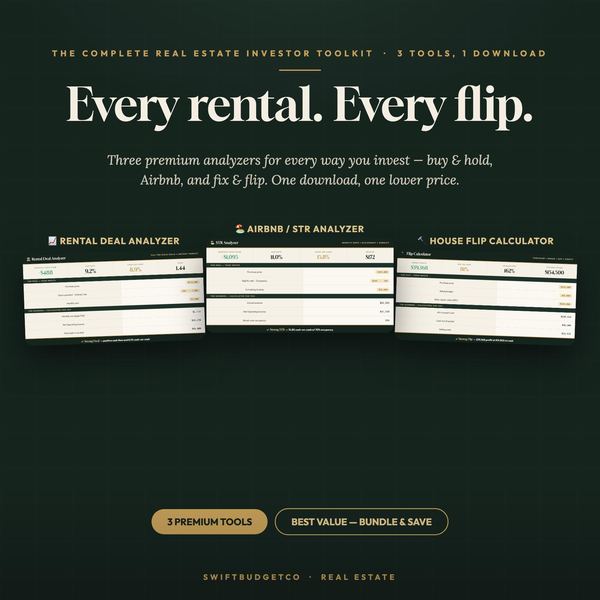
From the shop behind Etsy's top-ranked Airbnb and rental deal analyzers. If anything doesn't work as described, message me — I fix issues within 24 hours.