Owner Operator Trucking Spreadsheet
- ⬇ Files delivered instantly after purchase
- ∞ Lifetime access — download anytime
- ✎ You type in tinted cells; every formula is built & protected
- ♲ Support: message us any time, we answer personally
About this system
Most owner-operators cannot tell you what a mile costs them. Not because they are careless — because working it out properly means separating the costs that hit whether the wheels turn from the ones that only happen when they do, then spreading the first lot across the miles you actually expect to run. It is an evening's work with a calculator, and almost nobody does it. So loads get taken on gut feel, and the year ends worse than it felt.
This workbook does that arithmetic once and then keeps doing it.
What It Works Out
You fill in one tab: your truck payment, insurance, plates, permits, your real MPG, what you actually put aside for tires and maintenance, and the miles you expect to run. That is the only typing this thing needs from you.
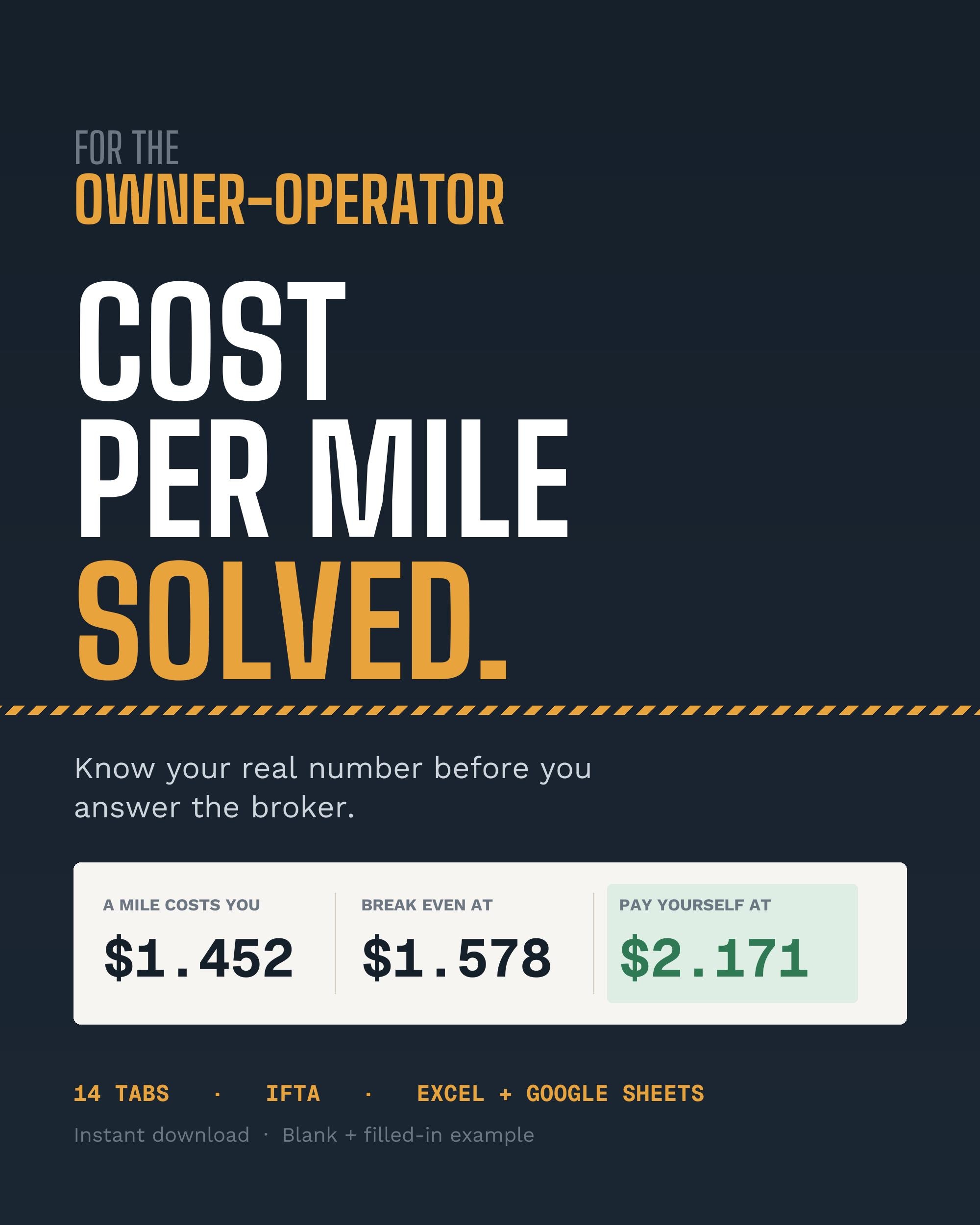
From that it gives you three numbers, and the gap between them is the whole point.
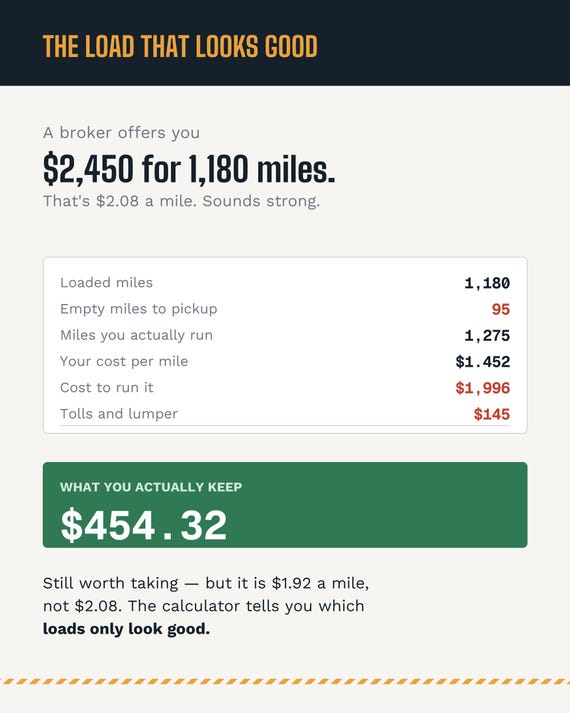
What a mile costs you. What you have to charge per loaded mile just to break even, with your deadhead already built in — because rates are quoted per loaded mile but you burn fuel on the empty ones too, and that is where most people fool themselves. And then the one almost nobody works out: the rate that also pays you a wage. Breaking even keeps the truck alive and pays the driver nothing. Plenty of owner-operators run a "profitable" year and still cannot say why there is no money. This tells you, before you take the load, which side of that line the rate falls on.
Then, before you book anything, the load calculator takes the rate, the loaded miles, the deadhead to the pickup and any tolls or lumper, and tells you what the load actually leaves in your pocket — plus a plain verdict: take it, thin, or turn it down.
Ifta, Properly
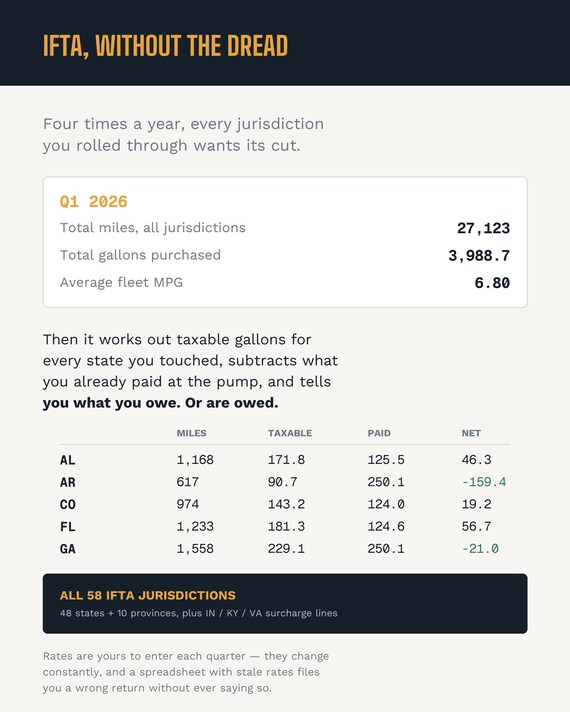
Log your fuel with the jurisdiction it happened in, drop your quarterly state miles in from your ELD, and the IFTA worksheet does the rest: average fleet MPG, taxable gallons per jurisdiction, tax-paid gallons subtracted, net due or credit. All 58 IFTA jurisdictions — the 48 contiguous states and the 10 Canadian provinces — and separate surcharge lines for Indiana, Kentucky and Virginia, which are owed on every taxable gallon and take no credit for what you paid at the pump. Leave those three out and you under-file the return.
Pick the quarter at the top and the whole worksheet follows it. Nothing to filter by hand.
One thing to be straight about: the tax rates are yours to enter, not ours to bundle. They change every quarter in most jurisdictions. A spreadsheet that ships with rates baked in would quietly file you a wrong return three months later and never mention it. The sheet tells you exactly where to pull the current quarter's official rates from.
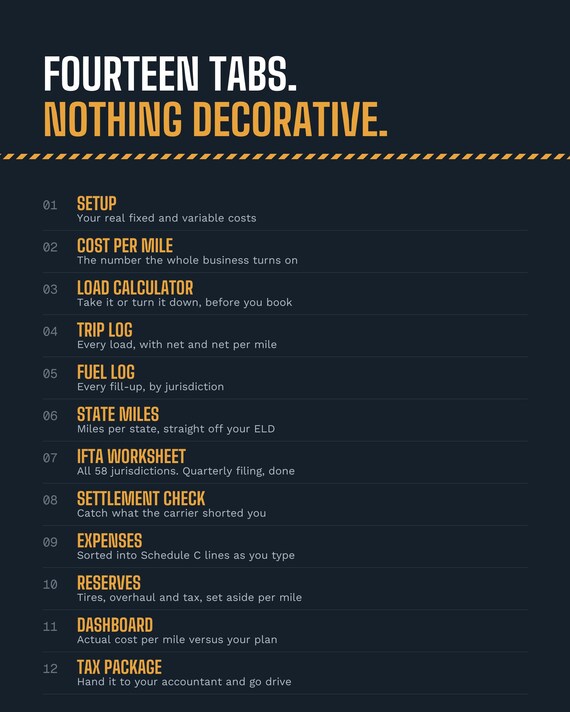
The Other Ten Tabs
Trip log, with the true net and net-per-mile on every load — net of your actual cost per mile, not the gross rate divided by miles, which is the number that flatters a bad load. Fuel log. State miles. Settlement check, so you can reconcile what the carrier said they would pay against what actually landed — deductions are where settlements quietly go wrong. Expenses, sorted into Schedule C lines as you type. Reserves, for the per-mile money that should be sitting in an account before the turbo goes. A dashboard showing your actual cost per mile against the one you planned. And a tax package you can hand to an accountant in January and go back to driving.
What Arrives
- The workbook, 14 tabs, blank and ready for your numbers
- The same workbook filled in for one quarter by a one-truck operation, so you can see what
it looks like working before you type anything
- An OPEN ME FIRST card that gets the file open on any device
WILL IT OPEN?
Excel 2016 and newer, Microsoft 365, Excel for Mac, and Google Sheets. No macros, no add-ons, nothing to install. It was built deliberately without the newer Excel functions that break when you import into Sheets, so it converts cleanly.
One warning worth more than anything else here: the Etsy app cannot download files at all. It will show you the order and even a download button, and nothing usable will happen. Use a browser — the included card walks you through it on iPhone, Android and desktop, and swiftbudgetco.com/open has the same thing if you would rather not dig out the PDF. If you are still stuck, message the shop with your order number. A real person answers.
Honest Limits
This is a bookkeeping and decision tool. It is not tax advice and it does not file anything for you. Per diem, depreciation and Section 179 are left as accountant questions rather than guesses — those rules move, and a wrong number confidently printed is worse than a blank.
Your files stay in your Etsy account permanently. Re-download any time, any device, no cost.